Sago Mini School Toddler Games
Play PiknikEducational
3.5642.00 Reviews
- Version
- 6.0.0
- Installs
- 5.00M
- Age Rating
- Everyone
Screenshots
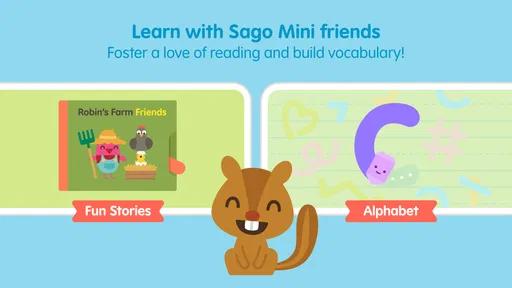
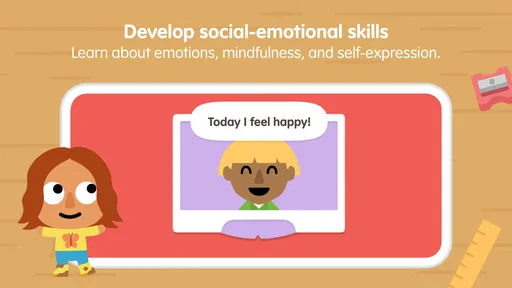
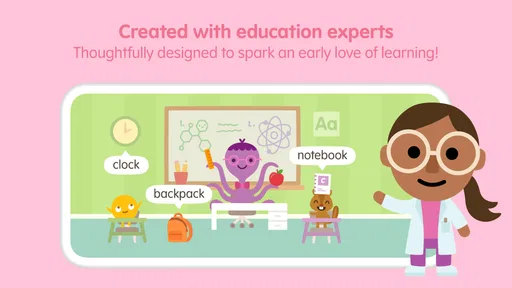
Our Review of Sago Mini School Toddler Games
 Analysis by Appyee
My first impression of Sago Mini School is that it treats early learning less like a lesson and more like a place a child can wander into. The colorful screens and friendly characters make the game feel welcoming, while the small activities give young players something to do without asking them to sit through a long explanation. I can see it working well for a short, supervised play break when a toddler wants to explore and a parent wants the screen time to have a little purpose.
A preschool world built for wandering
The art direction helps make the different activities feel like parts of one gentle play space rather than a stack of drills. Space, ocean, food, nature, and art themes give children familiar points of entry, and the bright, rounded visual style keeps the mood light. For ages 2 to 5, that matters: a child may be drawn in by a character or object before they understand what a task is asking them to do.
That open, playful approach is also a trade-off. Children who enjoy choosing what to explore may be more comfortable here than in a tightly sequenced lesson app, but parents looking for a clear, step-by-step curriculum may prefer a more structured alternative. I would treat this as a playful supplement, not as a substitute for reading together, drawing on paper, or talking through everyday discoveries.
Sound and pacing for small play sessions
The activities are short enough to suit the stop-and-start rhythm of preschool life. A child can try something, move on, and return later without needing to remember a long chain of instructions. That makes the game easier to fit into a quiet moment at home or a wait at an appointment than a longer game with multiple stages and a sustained goal.
In practice, I’d keep a first session brief and sit nearby. That gives a child room to tap and explore while making it easy to help if they get stuck or lose interest. The playful presentation supports a relaxed mood, but it can also keep a child asking for “one more” activity. A simple boundary set before opening the game is more useful than trying to negotiate after a toddler is already absorbed.
What the mechanics teach—and what they don’t
The strongest fit is for gentle exposure to early ideas: noticing differences, matching, exploring objects, and getting comfortable with letters and numbers through play. The activities can prompt a conversation after the screen goes away. If a child has been exploring a food theme, for example, you can connect that interest to helping choose ingredients or naming foods at the table. That kind of follow-through makes the play feel more meaningful than treating an app as a stand-alone lesson.
I would not expect every activity to suit every child equally. One preschooler may love open-ended creative play, while another wants a clear answer and a visible sense of completion. Rather than insisting on a particular activity, I’d let the child’s interest guide the session, then use a real-world activity—sorting toys, spotting shapes, or looking at a picture book—to extend the same kind of curiosity.
Where it fits among preschool apps
As an educational game from Play Piknik, Sago Mini School sits between a collection of playful mini-games and a formal early-learning program. It is free to download and rated for Everyone, and its 3.9 average from around 7.8 thousand ratings suggests a generally positive reception, though ratings alone can’t tell you whether the style will click with your child. It has over a million installs, and the current version is 5.3; it was released on February 10, 2021. The game is intended for children aged 2 to 5, and it requires Android 7.0 or later. In-app purchases range from $7.99 to $99.99 per item, so I’d check the purchase options with an adult before handing over a device. The game is made for short, exploratory play, not for children who need a tightly measured learning path or a parent-facing record of academic progress.
That distinction is useful when choosing between this and familiar alternatives. A flashcard app may be better if you want repeated practice on one specific skill; a phonics program may suit a child ready for a more deliberate sequence. Here, variety and atmosphere are the draw. If your child is easily overwhelmed by colorful screens or prefers hands-on toys, a physical puzzle or shared storybook may be a better choice for that moment.
A practical way to use it at home
A realistic routine might be to offer one short session while you prepare dinner, then ask your child to tell you what they noticed or recreate something with household objects. The point is not to quiz them; it is to connect screen play with conversation and movement. If the child drifts from one activity to another, that can be a cue to close the game and switch to a simple offline task rather than trying to make them finish.
For a child who is new to tablets, I’d explore the opening screens together before leaving them to play. Showing how to return to the activity area, and agreeing on what “finished” means for that session, can prevent aimless tapping. For a confident young player, stepping back and letting them choose can reveal which themes hold their attention. In either case, an adult’s occasional check-in is a more useful guide than assuming every screen activity has the same value.
Parents may also wonder whether it is suitable for a shared device or a child who is still learning to tap accurately. The simple visual style is approachable, but younger toddlers may need help with navigation and may not understand every prompt. I’d stay close at first, especially if the device is used by siblings, and make the purchase settings an adult’s responsibility. The game is free to start, but paid items are available, so it is sensible to review those options before a child plays independently.
The sound and animation are part of the inviting presentation, but they are not a reason to leave the game running in the background. I’d use it as a deliberate activity, with the volume set to suit the room and the session kept short enough that a child can move on comfortably. If your family prefers quieter play, or your child becomes overstimulated by animated screens, a book, blocks, or a drawing activity may be a calmer fit.
If you’ve ever been on the hunt for an educational app that’s as fun as it is enriching for your kids, you might want to check out Sago Mini School. I recently took it for a spin, and let me tell you, it’s like having a playful classroom right in your pocket. Designed for kiddos aged 2 to 5, this app is a delightful mix of learning and play. So, let’s dive into what makes this app tick and why it might just be the perfect companion for your little learner.
First Impressions: A Playground of Possibilities
From the moment you launch Sago Mini School, it’s clear that this app is crafted with children in mind. The colorful, vibrant interface is immediately engaging, and it’s easy for little fingers to navigate. The app opens up to a world of activities that are both fun and educational. Think of it as a digital playground where learning just happens naturally. And yes, it’s as cute as that sounds!
Activities Galore
What stands out about this app is the variety of activities available. Whether your child is into building things, exploring nature, or getting creative with art, there’s something here for everyone. Each activity is designed to stimulate curiosity and develop critical skills like problem-solving, creativity, and foundational literacy and numeracy.
- Space Explorers: Kids can embark on a cosmic adventure, learning about planets and stars.
- Ocean Swimmers: Dive deep into the ocean and discover marine life while honing observation skills.
- Kitchen Chaos: Mix ingredients and learn about food and nutrition in a fun way.
Each game is short, sweet, and designed to keep the attention of a preschooler—because we all know how fleeting that can be!
Learning Through Play
One of the things I love about Sago Mini School is how it seamlessly blends learning with play. Kids are not just tapping on a screen; they’re engaging with their environment and learning through interaction. It’s a great way to introduce educational concepts without it feeling like a chore.
For example, in the "Space Explorers" activity, children learn about different planets by matching them with their characteristics. It’s a fun, interactive way to introduce space science to young minds. Plus, the adorable Sago Mini characters make the experience even more enjoyable.
Parental Controls and Safety
For parents, safety is always a top concern, and Sago Mini School doesn’t disappoint. The app is ad-free, which is a huge relief. No unexpected pop-ups or inappropriate content. Additionally, the app includes a handy parental dashboard where you can track your child’s progress and see which activities they love the most.
It’s also worth mentioning that the app is designed to be used offline. So whether you’re on a long car ride or somewhere with spotty Wi-Fi, your child can still enjoy their learning adventure without interruption.
My Final Thoughts
Overall, Sago Mini School is a fantastic app for young children. It combines education and entertainment in a way that feels natural and engaging. The app is well-suited for kids aged 2 to 5, offering a range of activities that cater to different interests and developmental stages. The design is intuitive, and the content is both fun and meaningful.
If you’re looking for a way to keep your little one entertained while also giving them a head start on learning, this app might just be worth checking out. It’s a small investment for a big impact on your child’s early education journey.
My atmosphere verdict
What I like most is the balance between a cheerful setting and activities that invite children to make choices. It feels more like a collection of small discoveries than a test, which is a sensible tone for this age group. The best use, in my view, is a brief shared play session that opens a conversation, not a replacement for the everyday talk, stories, and hands-on play through which young children learn.
There are reasons to be selective. A family seeking a structured curriculum, a strong focus on one skill, or a clear academic progress plan may get more from a specialist learning tool. A child who is sensitive to bright, animated screens may also prefer a quieter activity. For everyone else, I’d give it a try with realistic expectations: the charm is in its inviting variety and gentle pace, while an adult still supplies the boundaries and real-world connection that make screen play worthwhile.
Verdict
Strengths of Sago Mini School Toddler Games
- Engaging, colorful design captivates young children.
- Wide variety of educational activities available.
- Easy-to-navigate interface for toddlers.
- Encourages creativity and problem-solving skills.
- Offline access for uninterrupted learning.
Limitations of Sago Mini School Toddler Games
- Limited content in free version.
- Requires subscription for full access.
- Some activities may lack depth.
- No progress tracking for parents.
- In-app purchases can be confusing.
Other Releases by Play Piknik
View All
Toca Boca Jr: Fun Kids Games
Educational3.3

Toca Boca Hair Salon 4
Educational3.8

PAW Patrol Academy
Education3.5

Gabbys Dollhouse: Cat Games
Educational3.8
Similar Picks in This Category
View All
Little Panda Policeman
BabyBus4.0

Monster Trucks Game for Kids 2
Raz Games4.1

Little Panda's Chinese Recipes
BabyBus4.4

Little Panda's Restaurant
BabyBus4.4

Little Panda's Ice Cream Games
BabyBus4.3

Baby Panda Care
BabyBus3.8
Frequently Asked Questions
What is Sago Mini School, and who is it designed for?
Sago Mini School is an educational app designed for children aged 2-5 years. It offers a variety of interactive activities that aim to stimulate creativity, critical thinking, and early learning skills. The app provides a safe, ad-free environment where kids can explore subjects like science, art, and math through play-based learning.
What types of activities does Sago Mini School offer?
Sago Mini School offers over 25 themed activities, including puzzles, drawing exercises, and storytelling. Each activity is designed to promote cognitive development and creative expression. The themes range from space exploration to underwater adventures, ensuring that there’s always something new and exciting for children to discover and learn.
Is Sago Mini School safe for my child to use?
Yes, Sago Mini School is safe for children. It is completely ad-free and does not include in-app purchases, ensuring that kids can enjoy the app without any distractions or risks. The app also complies with privacy regulations, so parents can feel confident knowing their child’s data is protected.
Does Sago Mini School require an internet connection to use?
No, once downloaded, Sago Mini School can be used offline. This feature makes it convenient for travel or situations where Wi-Fi is unavailable. However, an internet connection is required for the initial download and to access new content updates when they become available.
Are there any subscription fees associated with Sago Mini School?
Sago Mini School operates on a subscription model, offering monthly and annual payment options. This allows access to the full range of activities and regular updates with new content. The subscription ensures that the app remains free from ads and in-app purchases, providing a seamless experience for children.
Play our best games!


